One library.
Two visual interpretations.
A second-version expansion for the complete 410-theme library — giving every theme a new Visual Element 2 direction so you can create a fresh-looking second cover, second kit, bundle variation, listing angle, or bonus product without researching a new niche.
Plus: A Creative Remix Workspace For Your Themes.
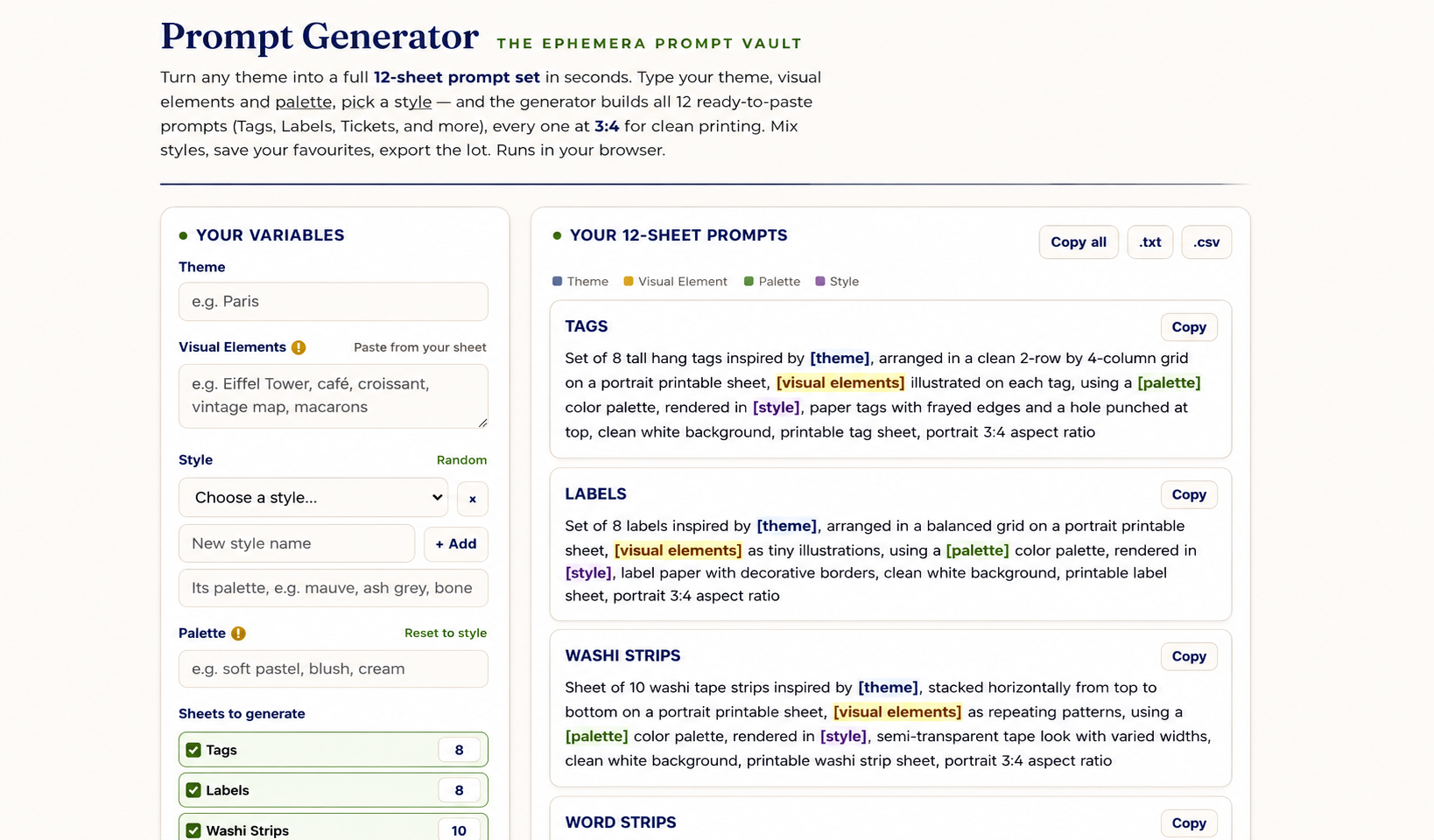
The prompt structure already exists inside your library. The PromptGenerator turns it into a creative workspace: paste a theme, paste Visual Element 1 or Visual Element 2, switch styles, remix palettes, choose the sheet types you want, save combinations, and export prompt batches — so the same theme can lead to more visual experiments before you generate the final product.
Unlock VE 2 + PromptGenerator ($67)Japan
Mount Fuji · Fushimi Inari torii gates · Kinkaku-ji golden pavilion · Kyoto pagoda rooftops · Arashiyama bamboo grove · Himeji Castle · cherry blossom avenue · Japanese koi pond · snow monkey hot spring · Shirakawa-go village
silk kimono · tea ceremony bowl · sushi platter · ramen bowl · paper lantern · folding fan · origami crane · calligraphy brush · daruma doll · bonsai tree
Iceland
Gullfoss waterfall · black sand beach · basalt columns · blue glacier · northern lights · volcanic lava field · ice cave · geyser spring · mossy highlands · fjord cliffs
Icelandic wool sweater · turf house doorway · geothermal bath pool · Viking rune stone · Icelandic horse · puffin bird · dried fish rack · carved drinking horn · knitted mittens · skyr bowl
Why One Visual Direction Is Not Enough Once You Start Building Product Lines
Your 410-theme library is already complete. The problem starts when one good theme needs to become more than one product: a second cover, a bonus sheet, a bundle add-on, an alternate listing, or a new kit variation. That is where a single visual direction starts feeling too narrow.
The Same-Look Wall
Visual Element 1 is perfect for the first version: scenes, landmarks, backgrounds, and big visual anchors. But when you create another product from the same theme, those same anchors can repeat fast.
Visual Element 2 gives the same theme a second object-and-detail direction — so the next product does not feel like a copy of the first one.
The Bundle Variation Wall
Bundles need variety. A travel kit, junk journal kit, printable pack, or Etsy listing becomes stronger when the add-ons feel connected but not identical.
VE2 gives you motif-level material — objects, accents, cultural pieces, and printable details that can become bonus sheets, fussy cuts, tags, labels, covers, and bundle extras.
The Creative Remix Wall
Once you have two visual directions, the next step is creative testing. You may want to try a different style, palette, sheet mix, or product mood before generating the final assets.
PromptGenerator turns the existing prompt structure into a remix workspace: paste the theme and VE set, switch styles, remix palettes, choose sheet types, save combinations, and export prompt batches.
Creative Testing Is Faster When The Variables Are In One Place
The Google Doc already gives you the prompt structure. PromptGenerator does not replace it — it gives you a cleaner workspace for testing themes, visual elements, styles, palettes, and your own creative inputs before you generate the final product.
Remix Without Rebuilding The Prompt
You can remix inside the library, but every test still means editing the same structure: theme, visual elements, style, palette, and product direction.
PromptGenerator keeps those variables in one place so you can test another version without rewriting the prompt by hand.
Test The Mood Before You Generate
A theme can feel completely different once the style and palette change. The same VE set can become vintage, watercolor, dark academia, shabby chic, or minimal neutral.
The tool makes mood testing lighter so you can find the strongest product direction before generating final assets.
Use The Structure With Your Own Ideas
The library gives you the proven framework, but you can bring in your own creative data: custom themes, motifs, palettes, micro-niches, or trend-based ideas.
You can also load a new prompt style set into the tool so future tests use fresh style language and new creative presets.
Double Every Theme With A Second Visual Version
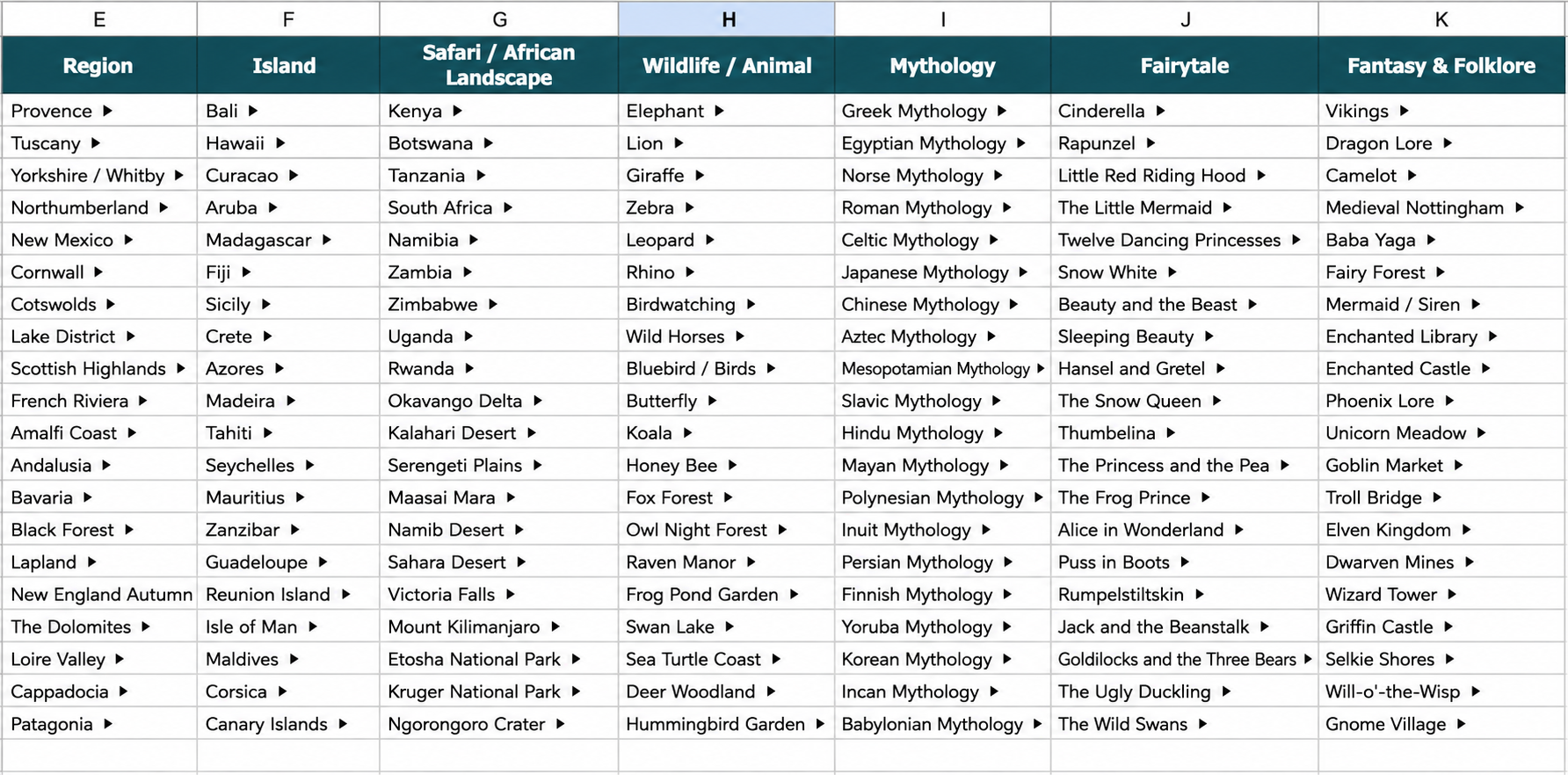
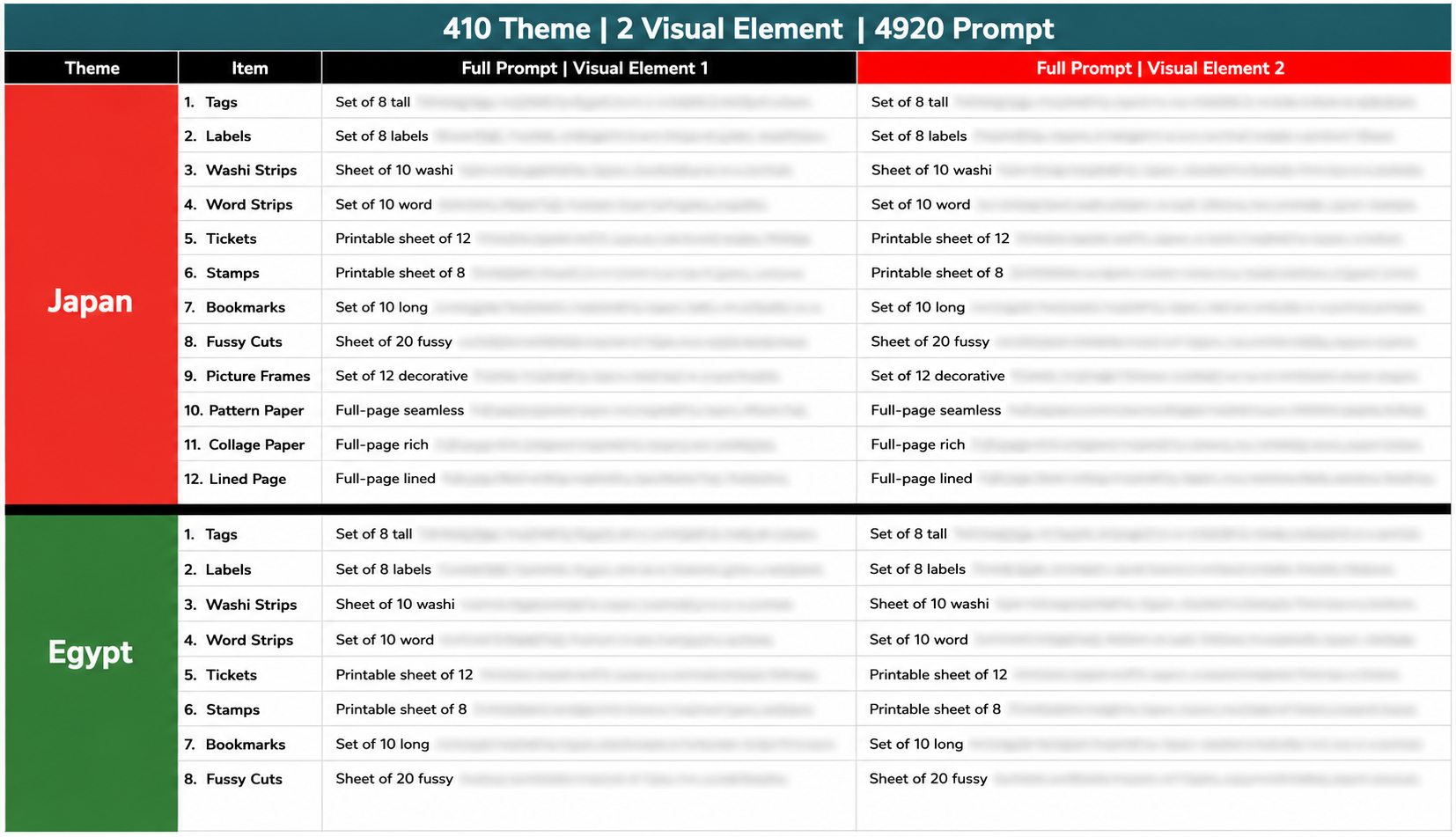
All 410 themes now include a VE2 direction beside VE1 — same file, same theme list, faster jump-to-theme navigation.
410 Themes Get VE2
Every one of your 410 themes gets a second direction built around objects, motifs, cultural details, printable accents, and smaller product-ready elements.
VE1 And VE2 Side By Side
VE1 keeps the original scene and landmark direction. VE2 adds the second object-and-detail version right beside it for easier comparison.
One Shared Prompt Tab
The 410-theme × 12-sheet framework stays together in one shared tab, plus jump-to-theme links so you can move through the file faster.
Get The PLR / Resell License Upgrade Free During Launch Week
During the launch window, your Visual Element 2 upgrade also unlocks the
PLR / Resell License Upgrade — giving you the rights, resale files, so you can package the vault as your own
sellable product stack.
PLR / Resell License Upgrade (the rights + tool source code)
Rebrand the included 410-theme / 9,840-prompt Ultimate Vault as your own prompt library, package it with the included tool source code, sell it on Etsy, Gumroad, Payhip, or your own site, and keep 100% of the revenue.
Rename the product, add your own shop name, edit the files, and position it under your own brand.
Package the included tool files with your offer so your buyers get a more complete product stack.
List it on Etsy, Gumroad, Payhip, your own website, or inside your existing product offers.
No royalty split, no caps, no per-sale licensing fee, and no ongoing reseller cost.
What’s Included In This PLR Bonus
- PLR License Certificate — proof of your Full PLR / Resell Rights.
- Rebrand & Resell Guide — quick-start steps for turning the vault into your own product.
- Listing Copy Pack — ready-to-paste copy for Etsy, Gumroad, Payhip, or your own site.
- The Rebrandable Product Library — the 410-theme / 9,840-prompt vault package.
Everything You Get Inside Visual Element 2 + PromptGenerator
This is the expansion layer for the library you already own: every theme gets a second visual direction, you get a faster remix workspace, and launch-week buyers also receive the PLR / Resell License Upgrade.
Visual Element 2 Expansion
$197 ValueEvery one of your 410 themes gets a second object-and-detail direction beside VE1, so the same theme can become a second cover, second kit, bonus sheet, bundle variation, or alternate listing angle.
PromptGenerator Creative Remix Tool
$197 ValueA browser-based workspace for testing themes, VE1 / VE2, styles, palettes, sheet types, and your own creative ideas before you generate the final printable assets.
Rebrandable 410-Theme / 9,840-Prompt Package
$297 ValueThe rebrandable product library built around 410 themes, 2 visual element sets per theme, and 12 printable item types for junk journal, ephemera, collage, and printable sellers.
PLR / Resell License Upgrade
Launch BonusIncludes the PLR License Certificate, Rebrand & Resell Guide, Listing Copy Pack, and the rights to rebrand the vault as your own sellable product.
Try Visual Element 2 + PromptGenerator risk-free. If you are not satisfied with your purchase, contact support within 30 days and we will help you according to our refund policy.